Board settings
Background
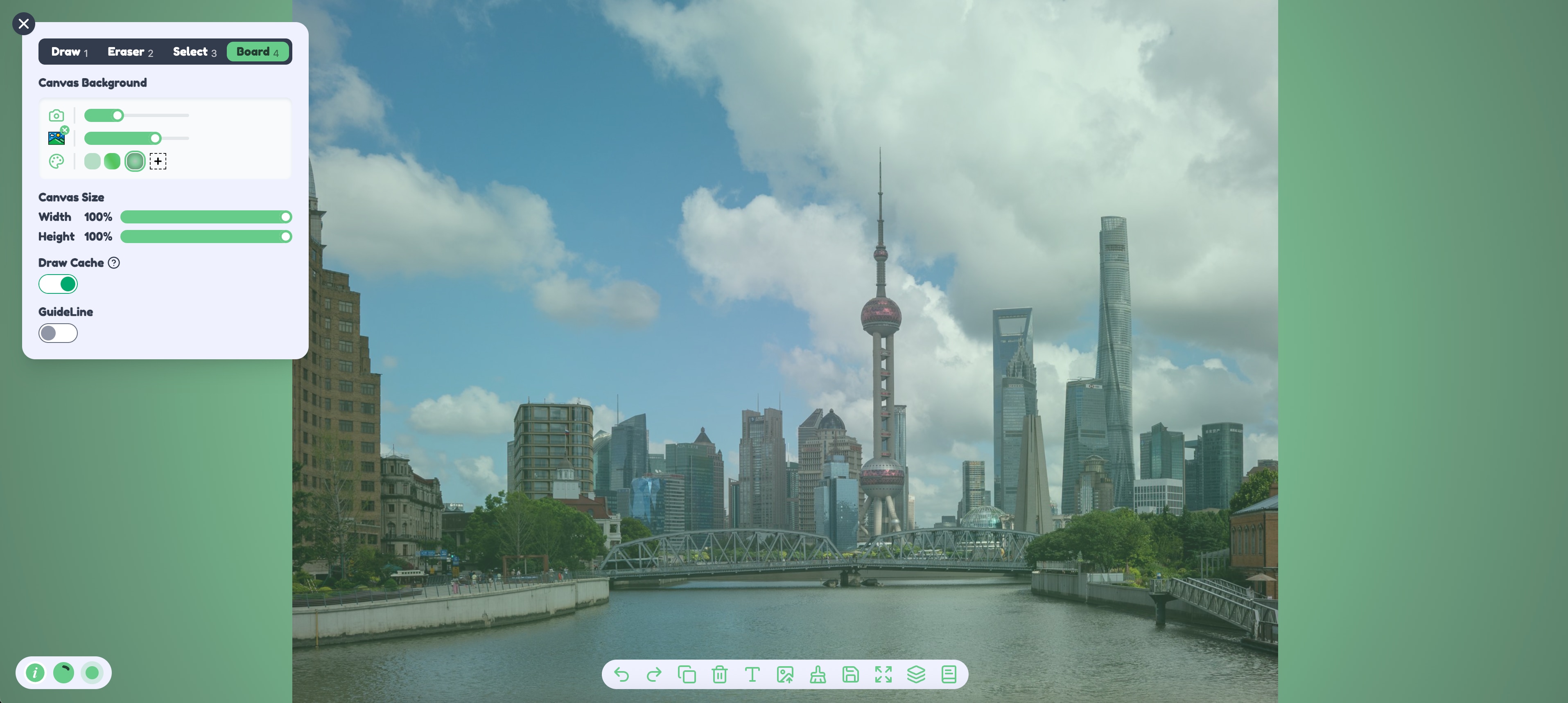
Color, image, and camera can sit behind the drawing at the same time. Drag them to change which layer is in front.
Color. Solid color, linear gradient, and radial gradient, including opacity.
Image. Upload a .jpg, .jpeg, or .png, then adjust the opacity. As with a picture added to the board, this step can also remove the background or run image segmentation when the browser supports WebGPU.
Camera. The camera button at the lower left turns the camera on, and the browser asks for permission. In the display settings you can freeze the current frame and adjust brightness, contrast, saturation, and opacity. Several filters are included, such as warm, cold, grayscale, vintage, pixel, noise, film, and Polaroid.
Canvas size
Width and height are percentages of the view, from 10% to 100%, in steps of 1%. This does not set the pixel size of an exported picture. It sets how much of the view the canvas area covers. The panel shows a percentage, such as 100%.
Drawing cache
Cache is a performance switch. With a lot of content, turning it on makes further drawing smoother. Turning it off favors a sharper picture.
Alignment guides
With guides on, objects are easier to line up while you drag them in Select mode. Leave them on when you are aligning shapes or text. The switch does not change strokes that are already drawn.